Making standalone products feel like one platform
nXFlow is Hyphen Technology's orchestration product, connecting and sequencing standalone financial services products into end-to-end payment and collection flows. When I joined, nXFlow was still in discovery and early design. AVS existed as an independent product operating outside of HyphenX, running as a standalone service with its own interface that had no connection to the HyphenX visual language.
My role as Senior UI Designer covered creating the design language for the platform and all products, and designing the AVS user migration flow: the wizard and tooling that moved existing users from the standalone AVS system into HyphenX.
Two products at different stages of maturity, needing to feel like one platform. AVS existed as a standalone product with its own interface outside of HyphenX. nXFlow was being built for the first time. The brand CI was the only common thread, but it needed adaptation for complex enterprise UI before it could be applied consistently across both.
The full project team
Step by step, screen by screen
A standalone product with no visual home
Before I joined, AVS existed as a standalone product outside of HyphenX. It had a basic light-mode interface built independently, with its own table layout and form patterns that had no connection to the HyphenX visual language. Users accessing AVS were in a completely different visual environment from the rest of the platform. The first task was understanding what AVS did, mapping its user journeys, and preparing to rebuild the entire interface on the HyphenX design system.
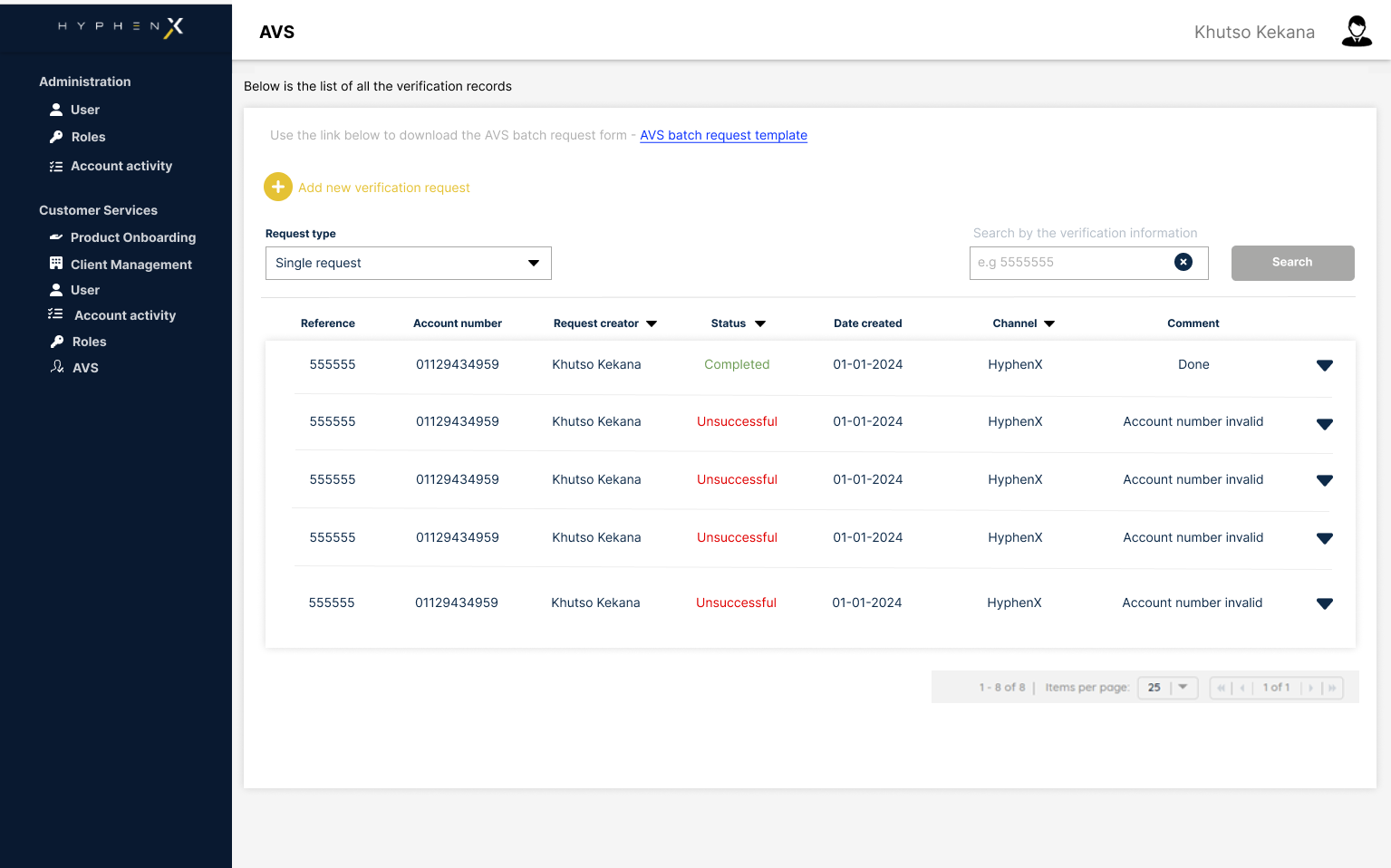
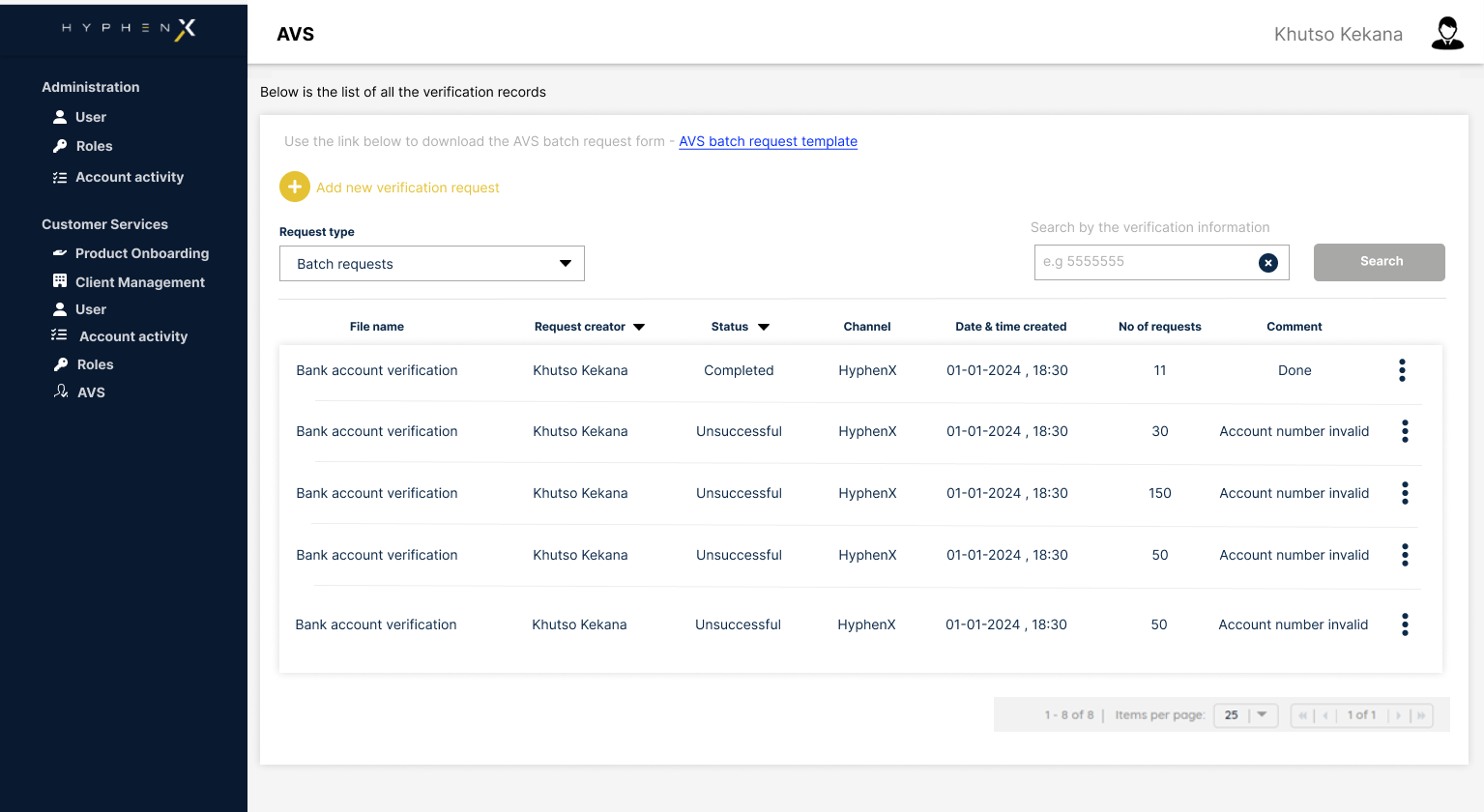
Bringing AVS into the platform design language
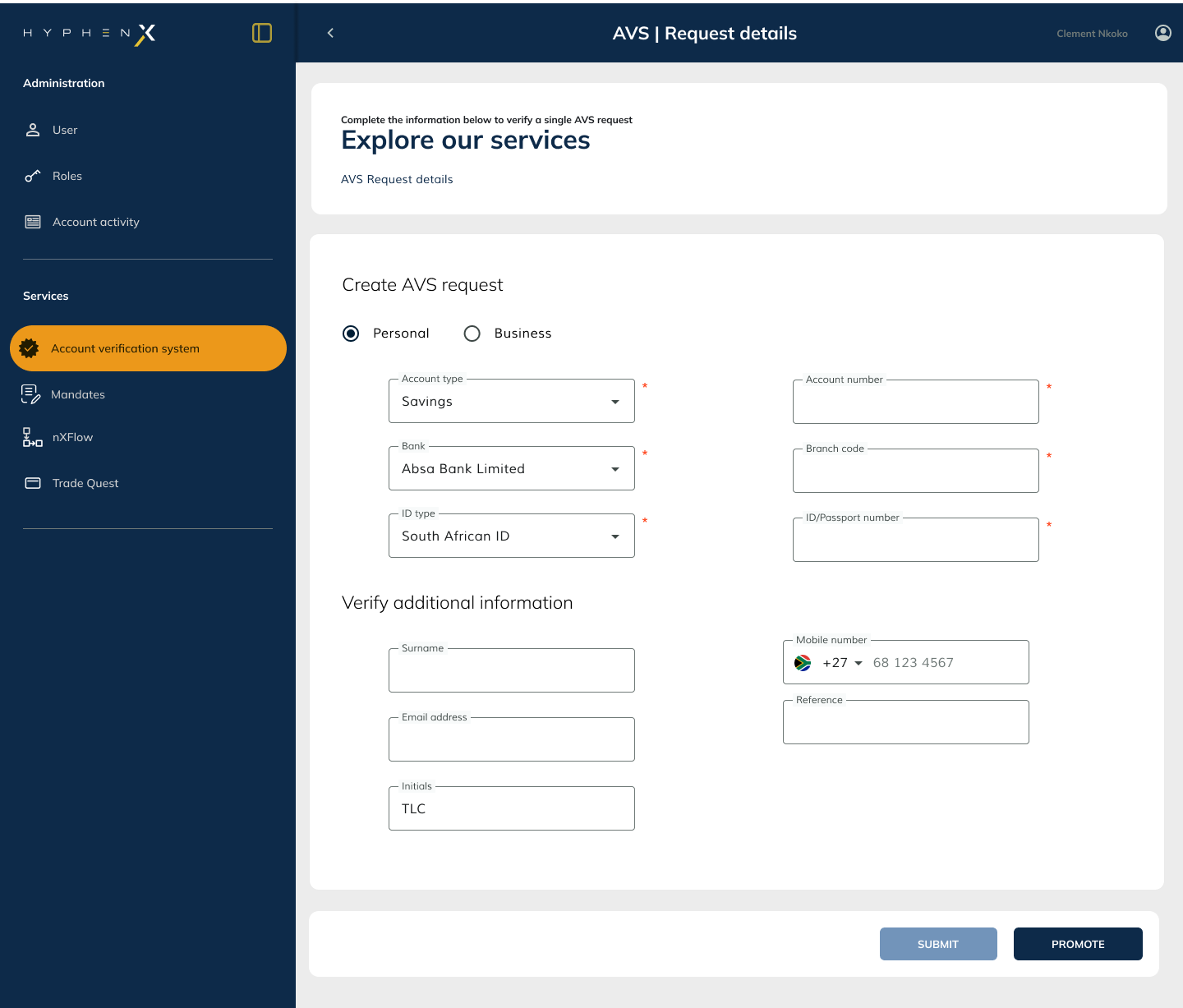
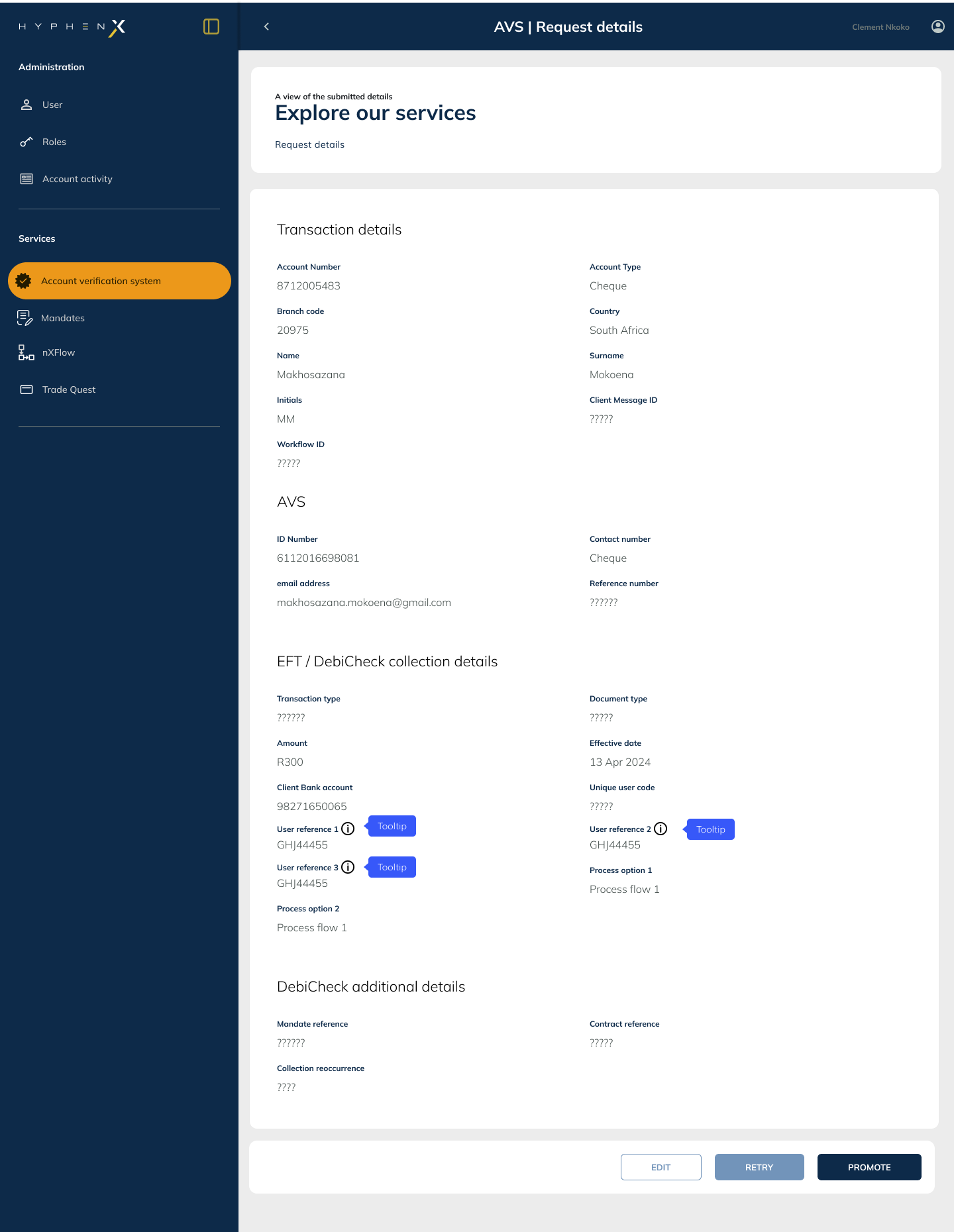
AVS needed to move from its standalone interface into the HyphenX design language. The landing page for AVS within HyphenX gives clients the ability to configure their verification approach: single request, batch, or both. The onboarding wizard steps users through setup with a clear progress stepper, structured form sections, and confirmation states that match the platform's established patterns. The dark side navigation, consistent header, and HyphenX component library made it immediately feel native to the platform.
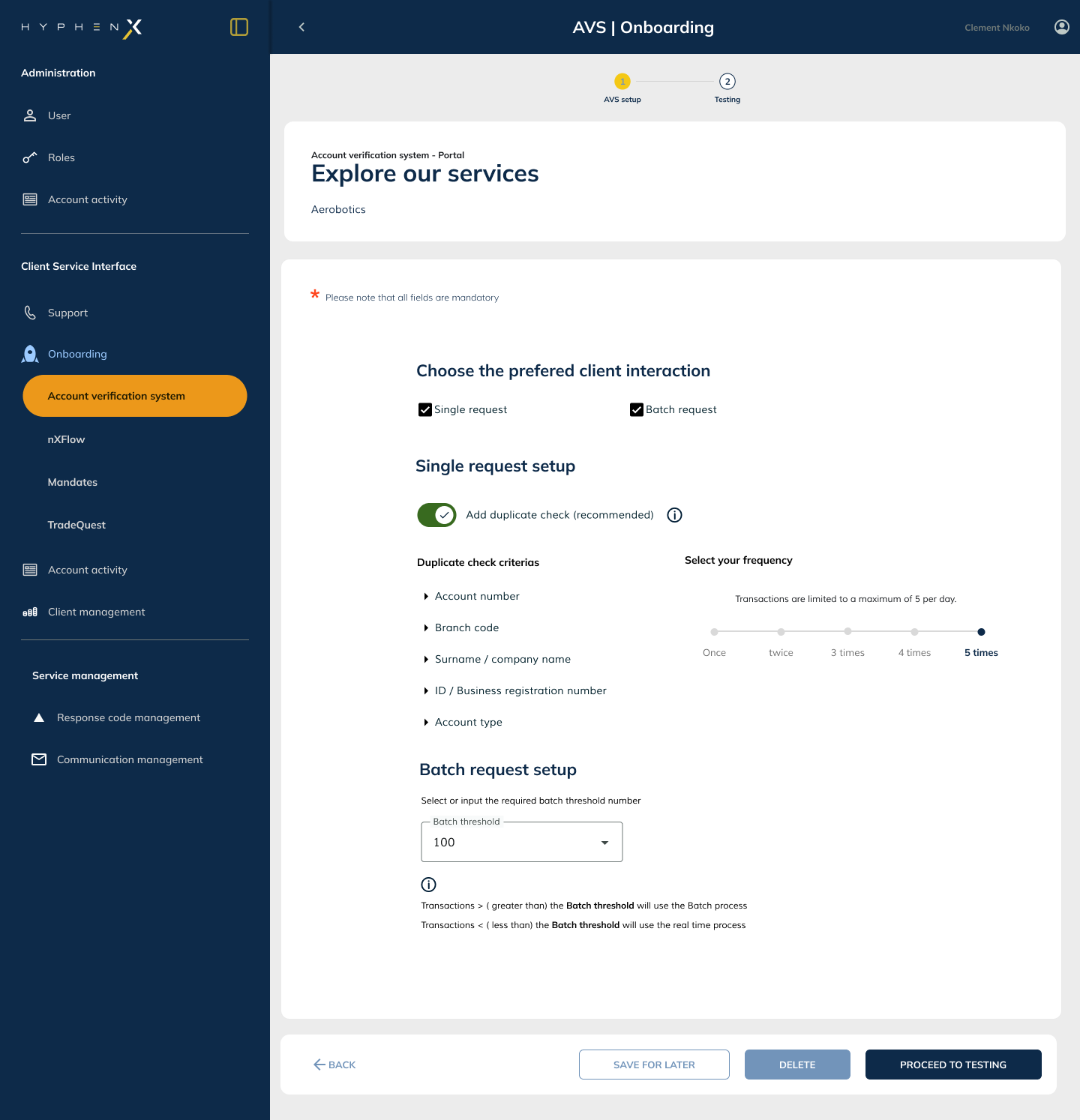
Moving users from the old system to the new
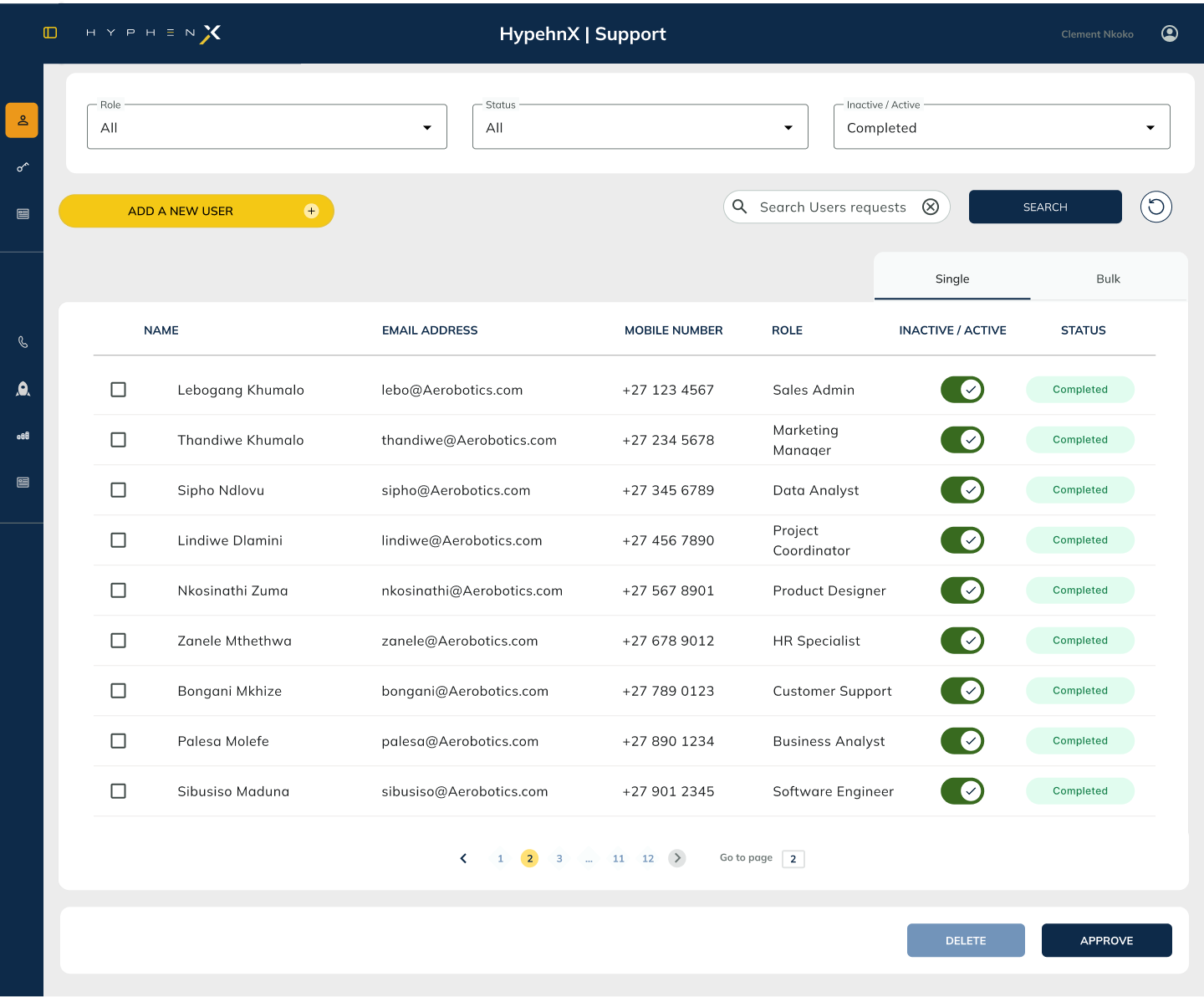
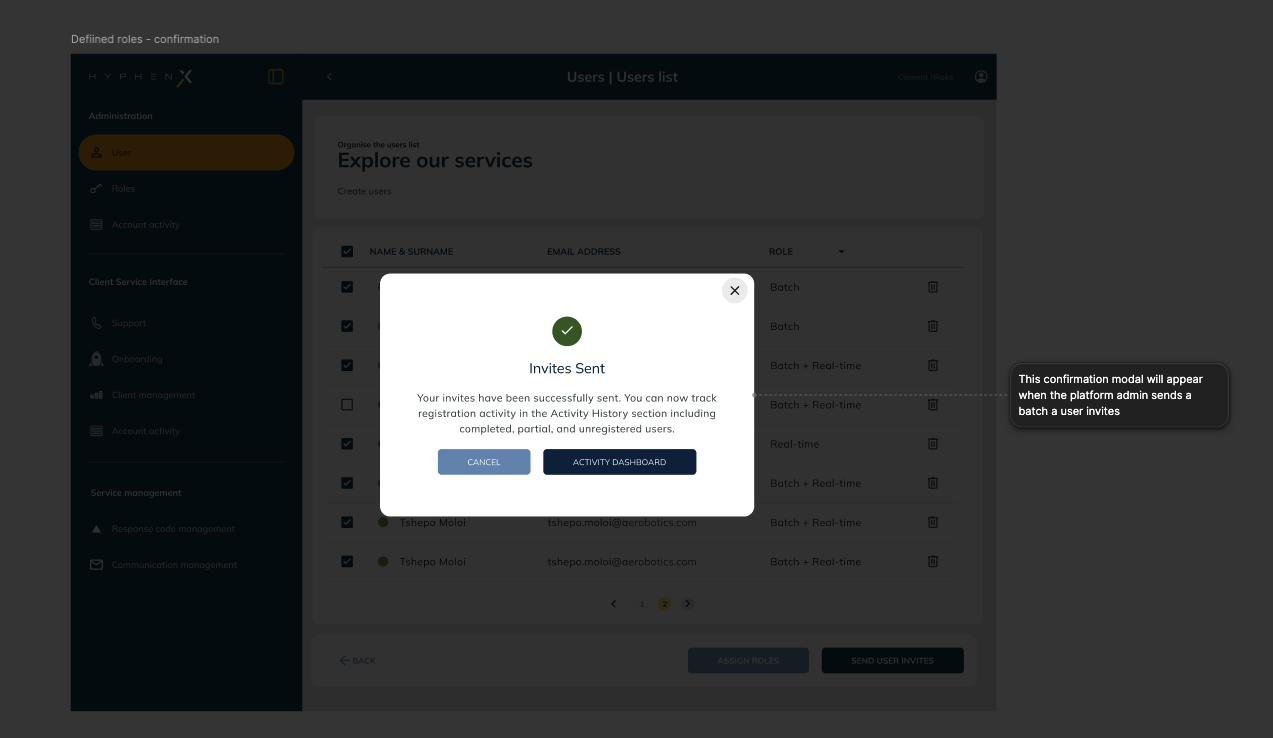
AVS User Migration required a dedicated wizard for platform administrators to move their existing user base from the standalone AVS system into HyphenX. The user list view shows all users with their current status (Active, Invited, Pending, Inactive) with filter and search controls. The migration wizard handles the transition in structured steps: selecting users, reviewing the migration scope, triggering invites, and confirming the outcome. The persistent user count in the header means admins always know how many users are in flight at any point during a large migration.
Decision review before commit
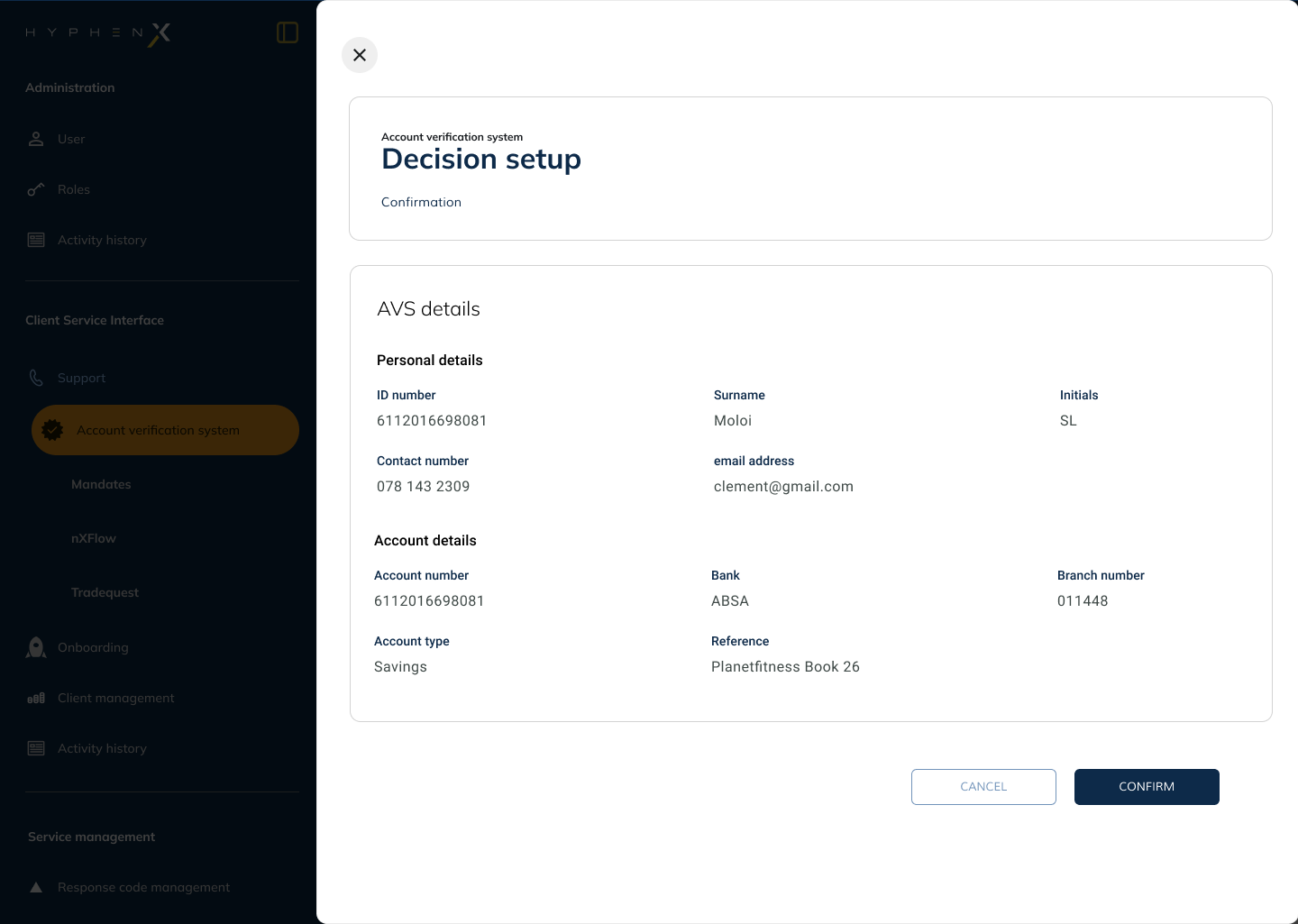
Before any verification record is submitted or any migration action is committed, the platform presents a confirmation state that summarises what is about to happen. The confirmation modal for AVS setup shows the user's personal and account details, the bank information, and the account type, all reviewed before a final confirm action. This pattern is used consistently across AVS and nXFlow: the platform never takes a consequential action without first giving the user a moment to review and confirm. In a financial context, this is not optional UX: it is a trust-building requirement.
Choices that held the platform together
Yellow as action, never decoration
The brand amber is reserved exclusively for interactive elements: primary CTAs, active navigation items, selected states, and stepper progress indicators. When users see it, they know it signals an action or their current position. It never appears as a background or decorative element.
Dark surfaces with structured depth
A flat dark navy across a complex enterprise interface flattens hierarchy. Four surface levels, each with a subtle brightness difference, create depth and separate content areas without introducing off-brand colours. Modals sit above page surfaces, cards sit above backgrounds.
Weight before size in type hierarchy
Dense data interfaces suffer from aggressive size differences between text levels. I used font weight variation (300/400/600) with restrained size steps, keeping the interface quiet enough to let the data breathe while maintaining clear reading hierarchy.
Table patterns standardised across all products
Tables appear in every product. Row height, cell padding, header treatment, sort indicators, hover states, selection states, and pagination were unified. A user moving from the AVS table to the nXFlow workflow table needs no visual reorientation.
Status indicators that work without colour alone
Status labels (Active, Pending, Failed, Migrated, Invited) use colour-coded pills but never colour alone. Each includes the text label and a consistent icon, ensuring status is readable for colour-blind users and legible at small sizes in dense table rows.
Confirm before every consequential action
The AVS confirmation modal and the nXFlow simulation step share the same principle: the platform never commits a consequential financial action without giving the user a clear review moment first. This is a trust requirement, not just a UX preference.
A platform that feels like one product
As Senior UI Designer at Hyphen Technology, I created the design language for the HyphenX platform and all its products, and designed the AVS user migration flow: the user list, migration wizard, and the tooling that moved existing users from the standalone AVS system into HyphenX.