A notification system that knows its audience
Enterprise platforms generate constant activity: approvals pending, tasks assigned, workflows completed, exceptions raised. Without a structured notification system, this activity becomes noise. The HyphenX Notification Centre was designed to bring clarity, surfacing the right information to the right user role at the right time.
Phase 1, covered here, focused on the approval and task layer: admin approval workflows, task notification streams, and the supporting UI elements and email templates that tie them together. The system is live and in use.
Phase 2 is in progress. It will introduce a centralised notification hub spanning all HyphenX products, system-level alerts, and permission-based views so each user only sees what is relevant to their role. Most notification types will be accompanied by supporting channels outside the platform, including email and, where appropriate, MFA-aware messaging.
In-platform notification panel and transactional email notifications, designed to work coherently across both surfaces.
The full project team
Structuring signal from noise
Mapping notification triggers and recipients
I audited every event in the HyphenX platform that could generate a notification: workflow submissions, approval decisions, task assignments, user account changes, system exceptions. For each trigger, I mapped who needs to be told, what they need to know, and what they need to do. This became the foundation for the notification taxonomy.
Admin Approval workflow design
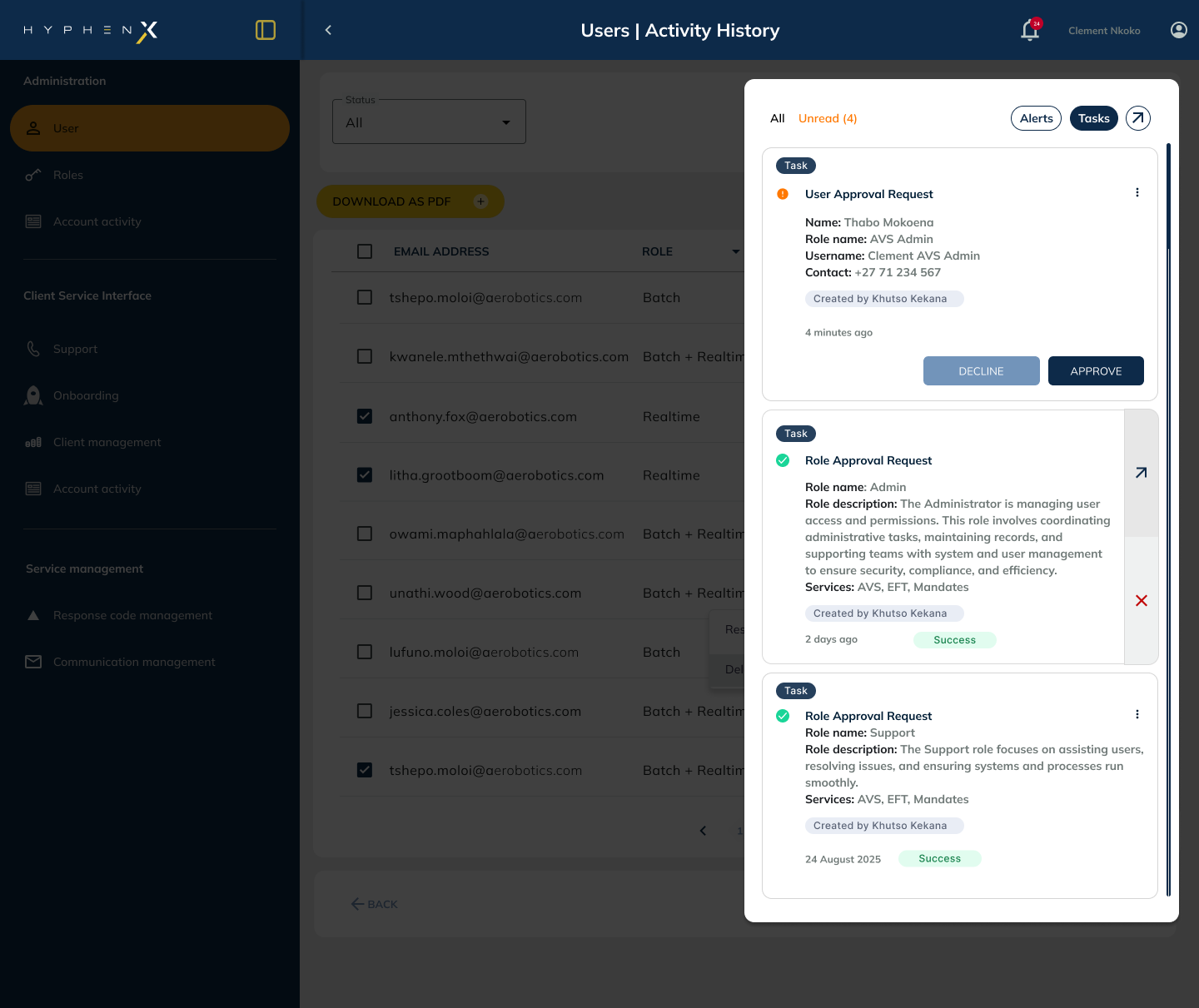
Admin users need more than a notification; they need an actionable interface. I designed the approval panel with a two-pane layout: a priority-ordered list of pending approvals on the left and a detail view on the right. Approval and rejection actions are always visible in the detail pane, with a mandatory comment field for rejections to enforce a clear audit trail.
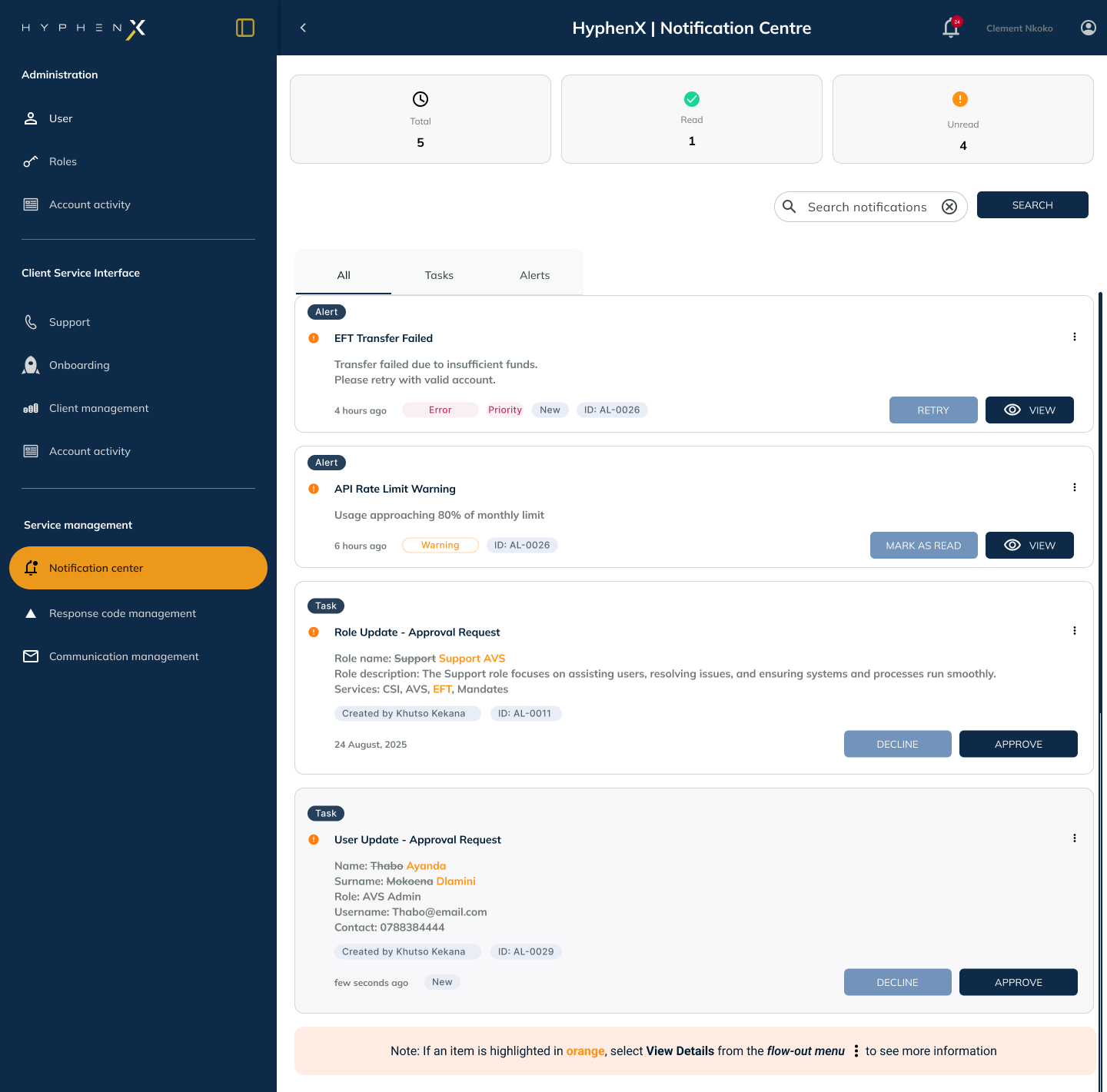
Notification centre UI using a triage model
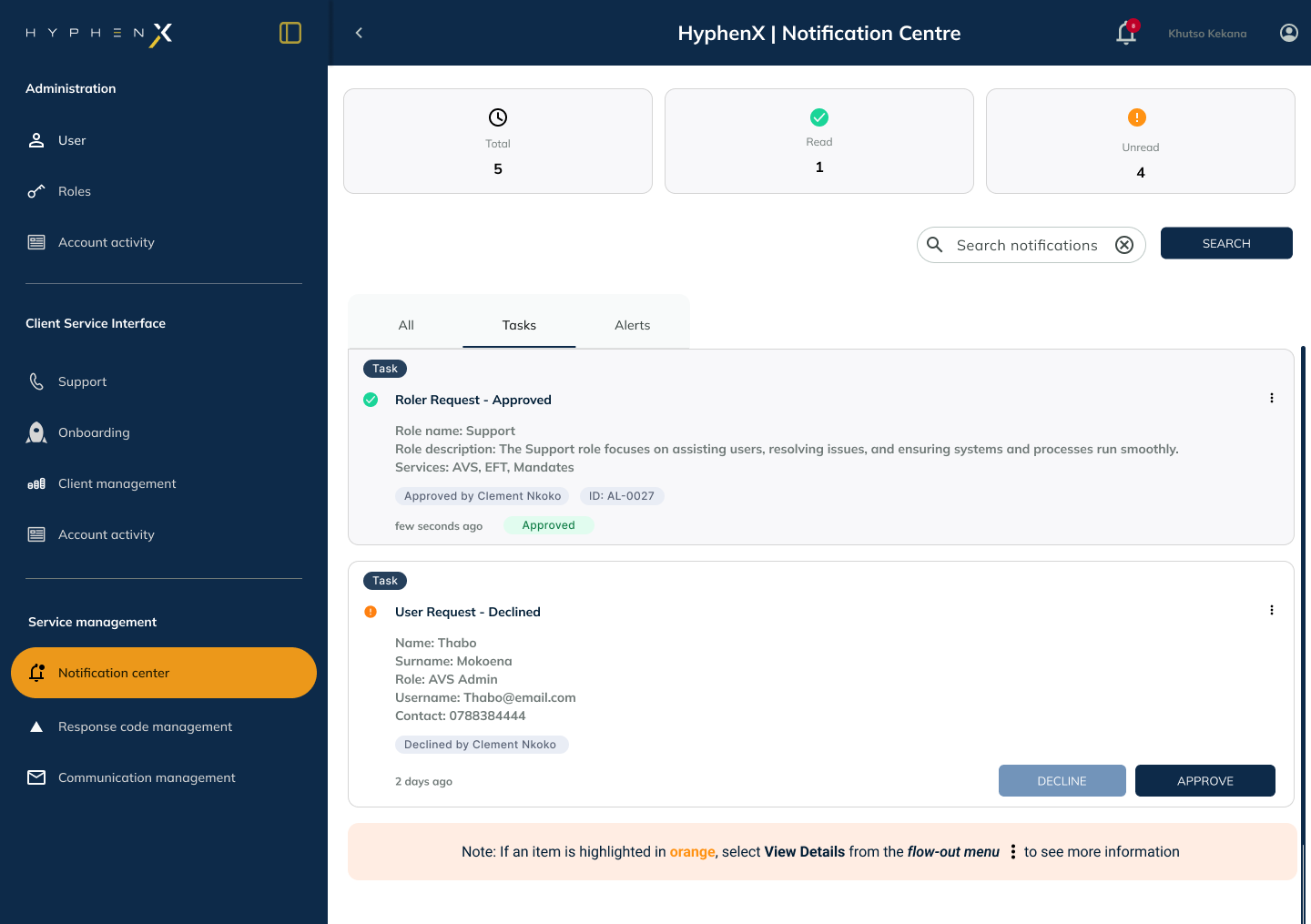
The notification panel uses a triage model: unread items at the top with strong visual weight, read items dimmed but accessible, and a type-filter tab row (All / Approvals / Tasks / System). Each item shows sender, action required if any, timestamp, and a quick-action button where relevant so users can act without opening the full detail view.
Email notifications with role-aware templates
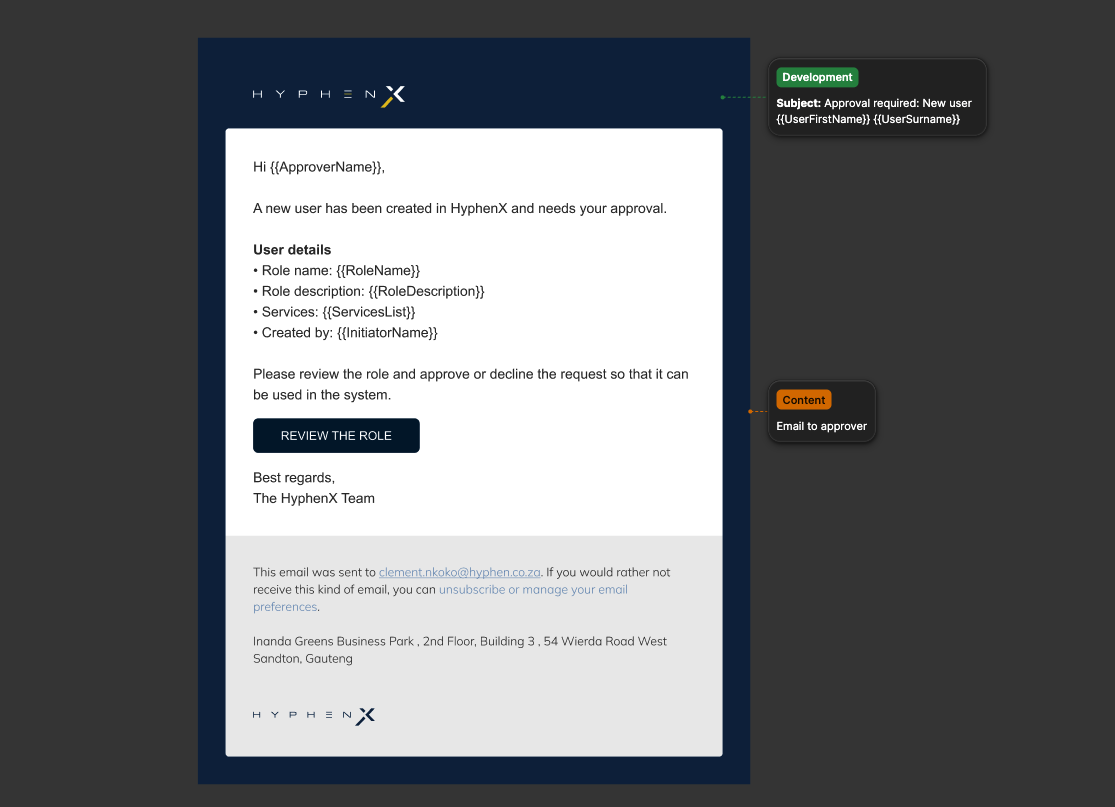
Email notifications were designed with role awareness built in from the start. Admin approval emails surface the action directly in the email body with a clear CTA. User task emails show the task name, due date, and a direct link to the task. This prevents the "email then log in and search" pattern that erodes trust in notification systems.
Empty states and notification grouping
I designed deliberate empty states to signal system health rather than absence of data. Notification grouping collapses multiple events from the same workflow into a single item, preventing the panel from becoming overwhelming in high-volume environments while keeping the full event history accessible when needed.
Decisions that shaped the system
Role-separated notification streams
Rather than a single feed for all users, I designed explicitly separated views for Admin vs Standard User roles. Admins see a priority-ordered approval queue first. This prevents admins from filtering through non-actionable items and users from seeing admin-level actions they cannot perform.
Inline action on notification items
For time-critical approvals, I added quick-action buttons directly on the list item without requiring navigation to the full detail page. This was balanced against the risk of accidental approval by scoping quick-approve to lower-value thresholds only.
Rejection requires a comment
Admin rejections are hard-stopped without a comment field entry, enforcing audit trail integrity. Every rejection has a reason on record. The comment field is pre-focused on rejection selection, making compliance the path of least resistance.
Notification grouping by workflow
Events from the same workflow are grouped under a single notification item that expands. This prevents the "100 unread" problem for users in high-volume environments while preserving access to the full event history when needed.
Email CTAs link directly to the relevant action
Every email notification CTA links to a deep URL within the platform, direct to the specific approval, task, or record. There is no "log in and find it" step. This required close coordination with engineering to ensure deep-link routing was implemented across all notification types.
Consistent visual language across platform and email
The type hierarchy, colour coding (amber for pending approval, blue for task, green for completed), and tone of copy are consistent between the notification panel within the HyphenX platform and the email templates. Users recognise and trust the system regardless of which channel surfaces the notification.
The design output
What was delivered
I designed the full notification system, from the taxonomy and trigger mapping through to the notification panel within the HyphenX platform, the admin approval interface, and the email templates. The system was role-aware from the ground up, ensuring every user type receives contextually relevant, actionable information, surfaced directly inside the platform or through email.